If you run a website, one question comes up sooner or later: how much traffic does a site actually get? It might be your own site, a competitor you admire, or a blog you are thinking of buying a guest post on. A website traffic checker promises the answer in seconds. Type in a domain, and it shows estimated visits, top pages, traffic sources and sometimes even the keywords bringing people in.
The catch is that different checkers often give very different numbers for the same site. One tool might say 50,000 visits a month while another says 120,000. Neither is necessarily lying. They are measuring different things, from different data, with different methods. This guide explains how a website traffic checker works, how to check your own traffic accurately, how to estimate a competitor’s traffic sensibly, and what to actually do with the numbers once you have them.
What Is a Website Traffic Checker?
A website traffic checker is a tool that reports how many people visit a website and where they come from. For your own site, tools like Google Analytics and Google Search Console measure real visitors directly, because you installed their tracking code. For other people’s sites, checkers cannot see the real numbers, so they estimate them from panels, clickstream data, search data and statistical models.
That distinction matters. Your own analytics are measurements. A competitor’s traffic figure from a checker is an estimate, and it should be treated as a range, not an exact count. Good checkers are usually in the right ballpark for larger sites and less precise for small ones, where less data exists to model from.
How Website Traffic Checkers Estimate Traffic
Most checkers combine several data sources. They buy or collect anonymised browsing data from panels of users, they analyse search engine results and estimated click-through rates for the keywords a site ranks for, and they look at public signals such as backlinks, social mentions and app usage. A model then turns all of that into an estimated monthly visit count, split by channel: organic search, direct, referral, social and paid.
Because each provider’s panel and model differ, the estimates differ too. A checker with a strong panel in one country will be more accurate there and weaker elsewhere. One that leans heavily on search data will favour search-driven sites and undercount sites that get most of their visits from email, apps or direct type-ins.

How to Check Your Own Site’s Traffic
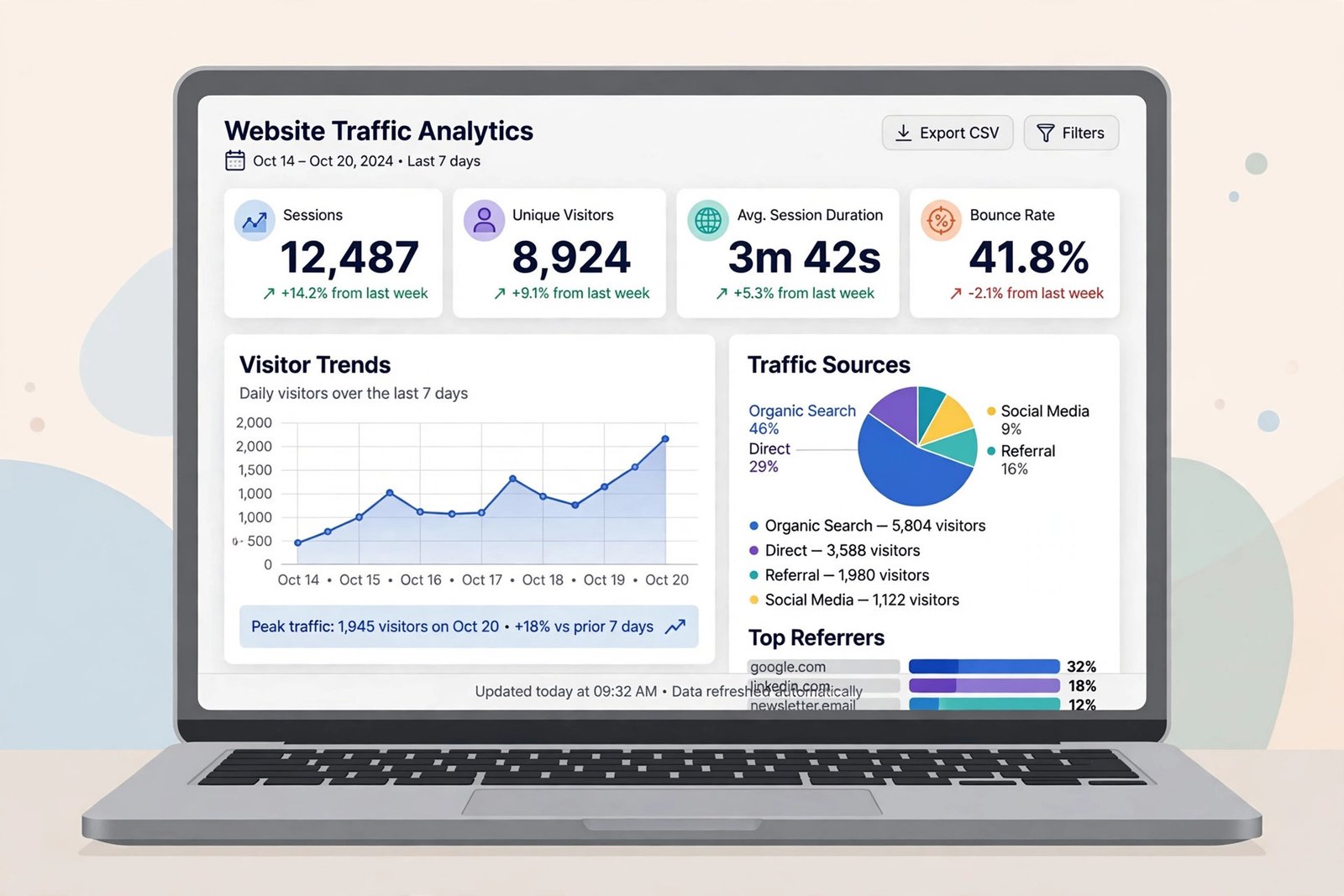
For your own site, never rely on an estimate when you can measure directly. Set up Google Analytics to see sessions, users, top pages, traffic sources and conversions. Pair it with Google Search Console, which shows the search queries bringing people in, your average position and your click-through rate. Together they answer both halves of the question: how many people arrive, and which search terms send them.
Check three things first. One, is the tracking code on every page, including new templates and landing pages? A missing code silently undercounts you. Two, are you filtering out your own visits and obvious bots? Internal traffic inflates the numbers and hides real trends. Three, are you comparing like with like — the same date range, the same definition of a visit — when you judge whether traffic is growing?
How to Check a Competitor’s Traffic
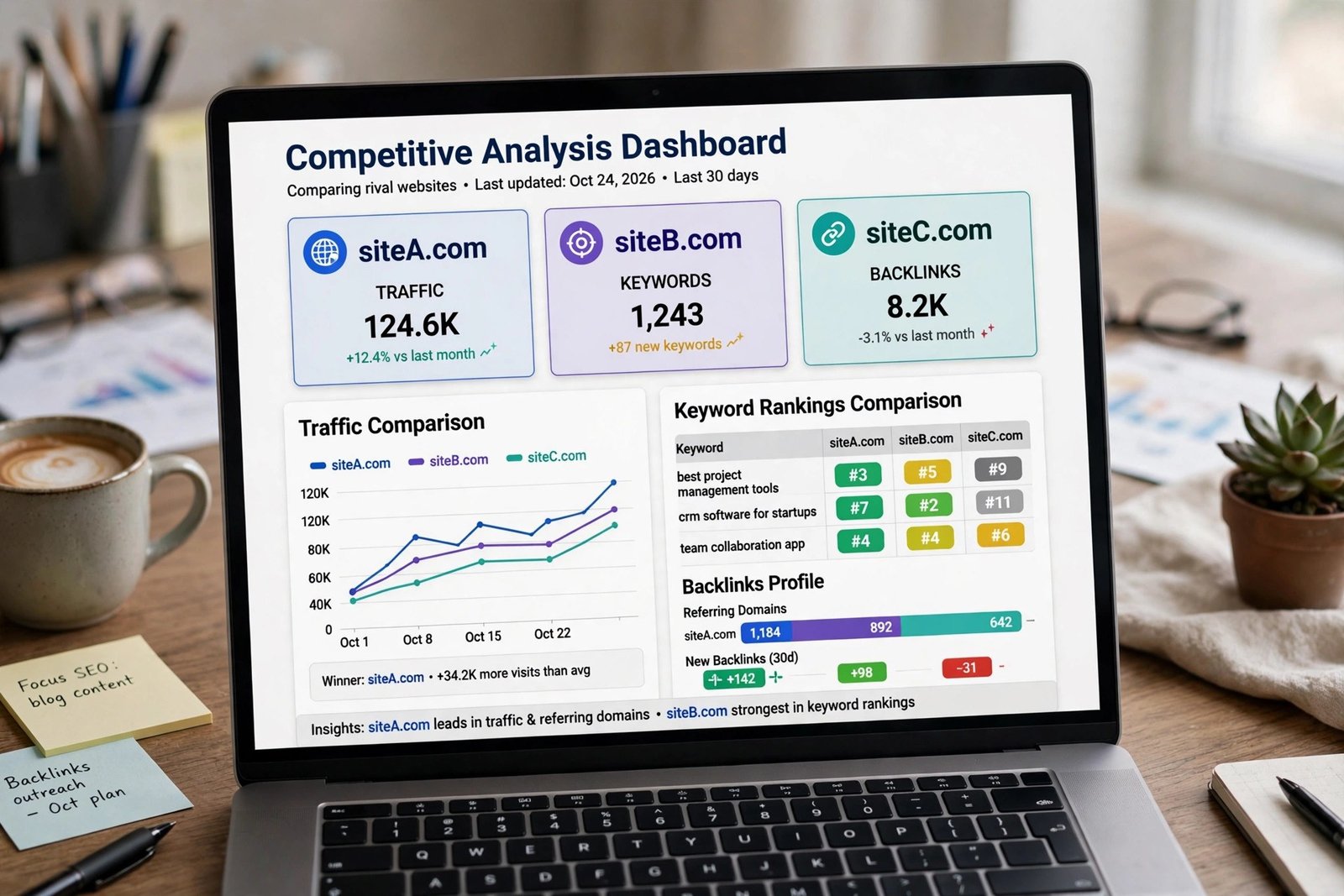
Start with a free checker such as Similarweb’s free tier or Semrush’s free traffic tools, and run the same domain through two different tools. If both put a competitor at roughly the same level, you can trust the order of magnitude. If they disagree wildly, treat the site as “somewhere in that range” and look at supporting evidence: how many pages does it rank for, how strong is its backlink profile, how active is it on social channels?
Go beyond the headline visit count. Look at the traffic trend over six to twelve months — is it growing, flat or falling? Look at the top pages: are visits concentrated on a handful of posts, or spread across hundreds? Look at the traffic sources: a site that depends on one viral page or one search term is fragile, while a site with steady organic, direct and referral traffic is usually more durable. And check which countries the traffic comes from, because traffic from your target market is worth far more than the same number from elsewhere.

Why Different Tools Show Different Numbers
There are several honest reasons for the gaps. Definitions differ: one tool counts visits, another counts unique visitors, and a third counts page views, and those are not the same metric. Bots and spam traffic are filtered differently. Some tools exclude certain countries or devices. Data is also sampled and modelled, so small sites bounce around more than large ones.
There is also a timing effect. Most free checkers show data that is weeks old, while your own analytics are live. A site that has just gone viral, or just lost rankings, will look very different in real time than in a checker’s last monthly snapshot. When numbers disagree, the trend and the ranking across tools usually matter more than any single figure.
What to Do With the Data
Traffic data is only useful if it changes a decision. For your own site, use it to find your best-performing pages and make more of what already works, to spot pages that rank but get few clicks and improve their titles, and to find topics where competitors get traffic you do not cover yet. That last point is where traffic research turns into content ideas: if three competitors all get steady visits from beginner guides on a topic you have never written about, that gap belongs on your editorial calendar.
For competitors, use traffic data to set realistic benchmarks rather than to copy them. If the strongest site in your niche gets 100,000 visits a month from 400 articles, a new site should not expect the same from 20 articles. Traffic also helps you judge outreach: a guest post or link on a site with real, relevant, growing traffic is worth far more than one on a site whose traffic is falling or comes from the wrong country. Growing that traffic, of course, comes back to the fundamentals explained in our guide to growing website traffic organically, and to improving the pages that already rank, as covered in our guide to increasing a website’s page rank.

Common Mistakes to Avoid
- Treating an estimate as exact: Use ranges and trends, especially for small sites.
- Comparing different metrics: Visits, visitors and page views are not interchangeable.
- Chasing vanity traffic: Ten thousand irrelevant visits are worth less than one thousand from buyers.
- Ignoring the trend: A falling site and a rising site can show the same monthly number today.
- Checking once and forgetting: Traffic is a monthly habit, not a one-off curiosity.
Frequently Asked Questions
Can I check a competitor’s exact traffic for free?
No. Exact traffic is private to the site owner. Free checkers give estimates, which are good enough for benchmarking and spotting trends but should never be quoted as precise figures.
Why does one tool say 50,000 visits and another say 120,000?
They use different data panels, models and definitions, and they may be reporting different months. Compare the trend across tools rather than trusting any single number.
Does checking a site’s traffic affect its SEO?
No. Running a domain through a traffic checker does not change its rankings or its real visitor numbers.
Which free website traffic checker is best?
Use two and compare. Similarweb’s free tier is strong for overall traffic and sources, while Semrush’s free tools are stronger for search-driven traffic and keywords. Your own Google Analytics and Search Console remain the source of truth for your own site.
Conclusion
A website traffic checker is a compass, not a counting machine. For your own site, measure directly with Analytics and Search Console. For competitors, estimate with two tools, trust the trend more than the headline number, and judge traffic by relevance and direction, not size alone. Used that way, traffic data stops being a curiosity and starts shaping what you publish, which pages you improve, and where you build links next.